
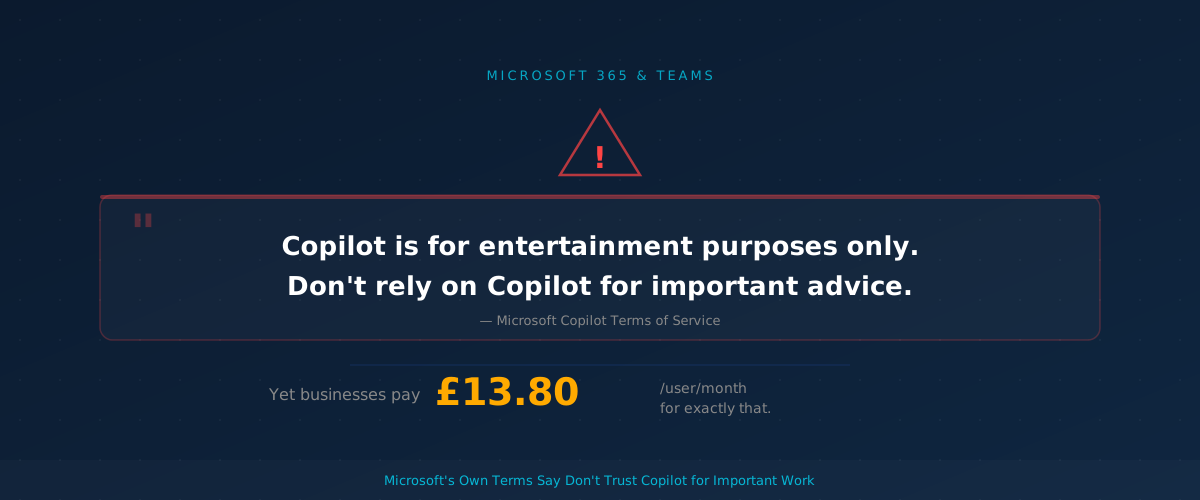
Microsoft’s Copilot terms of service contain a line that should give every UK business pause: “Copilot is for entertainment purposes only. Don’t rely on Copilot for important advice.” If your team is already using Copilot in Word, Excel, or Outlook — or you are about to roll it out — you need to understand what this means in practice and what guardrails to put in place.
What Microsoft’s terms actually say
The consumer Copilot terms of use, updated in late 2025, include several blunt disclaimers. Microsoft states that Copilot “can make mistakes, and it may not work as intended” and that users should “use Copilot at your own risk.”
More specifically, Microsoft warns that sources Copilot uses “may not be reliable, relevant, or accurate” and that responses may “seem convincing but are incomplete, inaccurate, or inappropriate.”
Microsoft’s exact words: “We do not make any warranty or representation of any kind about Copilot.”
The terms also make clear that if you publish or share anything Copilot generates, you are “solely responsible” for it. Microsoft will not stand behind the accuracy of anything Copilot produces.
Consumer terms versus business terms — it matters
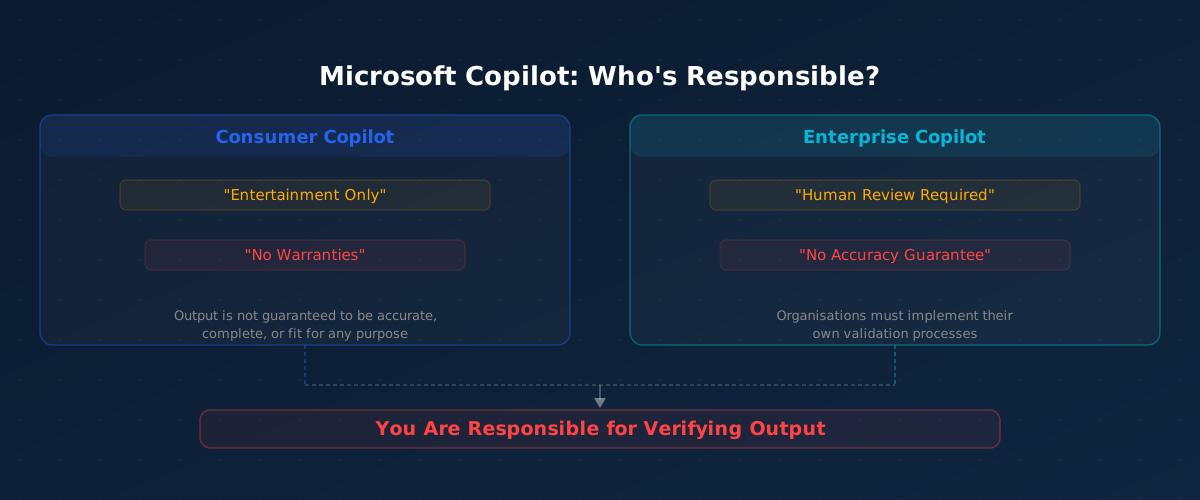
These headline disclaimers come from the consumer Copilot terms. Microsoft has said the “entertainment purposes” phrasing is legacy language from when Copilot launched as a search companion, and it will be updated.
The enterprise version of Microsoft 365 Copilot — the one businesses pay for — is governed by the Microsoft Product Terms and Data Protection Addendum instead. These enterprise terms do not contain the “entertainment only” line.
But here is the important part: even the enterprise terms do not guarantee accuracy. Microsoft’s product documentation still tells organisations to enable AI disclaimers and reminds users that Copilot output requires human review. The legal protection gap is narrower for enterprise customers, but it still exists.
Why this matters if you are paying £13.80 per user per month
Microsoft 365 Copilot Business currently costs £13.80 per user per month at the promotional rate, rising to £16.10 after 30 June 2026. For a 50-person business, that is over £8,000 a year.
That is a reasonable investment if your team treats Copilot as a drafting assistant and checks its work. It becomes a liability if staff treat Copilot output as fact — in client proposals, financial reports, compliance documents, or legal correspondence.
The risk is not theoretical. Copilot can produce text that reads confidently but contains fabricated statistics, outdated regulations, or incorrect calculations. If that ends up in a document you send to a client or regulator, the terms make clear: that is your problem, not Microsoft’s.
A practical checklist for your business
If you are using or planning to use Copilot, these steps will help you get the value without the risk:
- Set clear internal rules — Tell staff explicitly that Copilot output must be checked before it leaves the business. A one-line policy is enough: “All AI-generated content must be reviewed by a person before sharing externally.”
- Flag high-risk use cases — Financial figures, legal text, compliance statements, and client-facing advice should always be verified against original sources. Copilot is useful for first drafts, not final answers.
- Turn on AI disclaimers — Microsoft 365 provides an admin setting to display disclaimers on Copilot output. Switch this on so staff see a visible reminder that the content needs checking.
- Brief your team — Most employees will not read Microsoft’s terms of service. A five-minute team briefing explaining that Copilot can confidently produce wrong answers will do more than any policy document.
- Review before July 2026 — With Copilot pricing changing after 30 June 2026, now is a good time to assess whether your team is actually using it productively and whether your verification processes are working.
The bottom line
Copilot is a genuinely useful tool for speeding up routine work — drafting emails, summarising long documents, creating first-pass spreadsheet formulas. But Microsoft itself is telling you not to trust it blindly.
The businesses that will get the most from Copilot are the ones that treat it like a capable but unreliable junior colleague: helpful for getting started, but everything it produces needs a second pair of eyes before it goes anywhere important.
If you are not sure whether your Microsoft 365 setup has the right Copilot controls in place, or you want help building a practical AI usage policy for your team, speak to your IT provider about a review.
Need help setting up Copilot guardrails for your team? Talk to us about a Microsoft 365 review.
Learn more →Topics