
Almost a Billion Attacks Blocked - and Most Businesses Have Never Heard of It
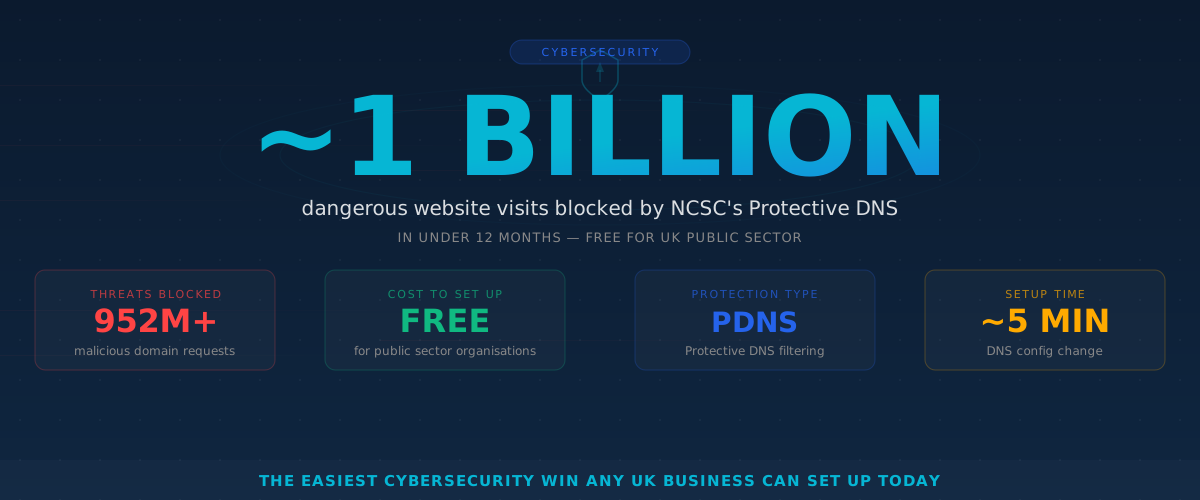
In early 2025, Security Minister Dan Jarvis announced that a government cyber tool called Share and Defend had blocked almost one billion attempts to visit malicious websites - in less than a year.
That is nearly a billion times someone in the UK was stopped from clicking through to a scam site, a phishing page, or a website designed to install harmful software on their device. And it happened quietly, in the background, without anyone needing to do a thing.
The technology behind it is called Protective DNS, and it is one of the simplest, most effective cybersecurity tools available today. The government has been using it to protect hospitals, councils, and schools since 2017. Now, the same approach is available to every UK business - and most have never heard of it.
What Is Protective DNS (and Why Should You Care)?
Every time you type a web address into your browser or click a link in an email, your device asks a question behind the scenes: “Where is this website?” That question goes to something called a DNS resolver - think of it as the internet’s phone book. It looks up the name and returns the address so your browser knows where to go.
Normally, this phone book does not care whether the website you are visiting is safe or dangerous. It just gives you the address.
Protective DNS adds a safety check. Before sending you to the website, it checks the address against a constantly updated list of known dangerous sites - pages that host scams, spread malware, or try to steal your login details. If the site is on the list, you simply cannot get there. Instead of loading the dangerous page, you see a block message.
Think of it like a bouncer at the door. Your staff can browse the internet as normal, but if they accidentally click a dodgy link in a phishing email, the bouncer turns them away before they ever reach the dangerous site.
No software to install on every computer. No training required. It works at the network level, protecting every device connected to your office internet.
What the Government Has Built
The National Cyber Security Centre (NCSC) - the part of GCHQ responsible for keeping the UK safe online - runs two key services that use this technology.
PDNS - Protective DNS for the Public Sector
Since 2017, the NCSC has offered a free Protective DNS service to government departments, local councils, the NHS, emergency services, and schools. The numbers are staggering:
- Over 2.5 trillion DNS queries processed since launch
- 1.5 million malicious domains blocked
- More than 1,400 UK organisations protected
- An estimated £59 million in losses prevented each year
In 2024, the NCSC partnered with Cloudflare to deliver the next generation of PDNS, replacing the previous provider Nominet.
Share and Defend - Protection for Everyone
Launched in May 2024 in partnership with BT, Share and Defend takes the threat intelligence gathered by PDNS and shares it with internet service providers. This means dangerous websites are blocked before they ever reach ordinary broadband customers.
This is the service that blocked almost a billion malicious site visits in its first year. If you use BT broadband (or another participating ISP), you may already be benefiting from it without knowing.
Can My Business Use the Free Government Service?
Here is the important detail: the NCSC’s free PDNS service is currently available to public sector organisations only - government, councils, the NHS, emergency services, and schools.
If you run a private business, you cannot sign up for PDNS directly.
But here is the good news: you do not need to. The same Protective DNS approach is available from several commercial providers, and the NCSC has published clear guidance to help businesses choose the right one. Some options are free, some are paid, and all of them provide that same “bouncer at the door” protection.
How to Set Up Protective DNS for Your Business
Setting up Protective DNS is one of the quickest cybersecurity improvements you can make. Here is how it works in practice.
Option 1: Free DNS-Level Protection
Several well-known providers offer free protective DNS services that block known malicious websites:
- Quad9 (9.9.9.9) - a not-for-profit service backed by major cybersecurity organisations
- Cloudflare for Families (1.1.1.3) - blocks malware and adult content
- Google Safe Browsing via DNS - built into many routers already
To use any of these, you (or your IT support) simply change the DNS settings on your office router. Instead of using your internet provider’s default DNS, you point it to the protective service. This takes about five minutes and instantly covers every device on your network.
Option 2: Business-Grade Protective DNS
For more control - such as choosing which categories of sites to block, getting reports on threats, and protecting staff who work from home - business-grade options include:
- Cisco Umbrella
- DNSFilter
- Cloudflare Gateway
- Infoblox BloxOne Threat Defense
These services cost from a few pounds per user per month and offer dashboards showing what threats have been blocked, which is useful for compliance and reporting.
The NCSC recommends that any business choosing a protective DNS provider checks that it uses multiple threat intelligence feeds, updates its block lists frequently, and provides logging so you can see what has been blocked.
Why This Matters More Than Ever
Phishing emails remain the single biggest cyber threat to UK businesses. According to the UK Government’s Cyber Security Breaches Survey, 84% of businesses that experienced a cyber attack in the past year said phishing was involved.
Here is the problem: even well-trained staff click bad links sometimes. It only takes one moment of distraction - a convincing email that looks like it is from Royal Mail, HMRC, or a supplier - and someone clicks through to a malicious site.
Protective DNS catches those moments. It does not rely on your staff spotting every fake email. It works as a safety net, blocking the dangerous destination even after someone clicks.
Five Minutes That Could Save Your Business
If you take one cybersecurity action this year, make it this: set up Protective DNS on your office network.
Here is a quick summary of what to do:
- Check your current setup. Ask your IT provider whether you already have any DNS-level protection in place. You might be surprised.
- Choose a provider. For most small businesses, a free service like Quad9 is a strong starting point. If you want more features and reporting, look at the business-grade options.
- Change your DNS settings. This is done on your office router. If you have an IT provider, ask them to do it - it should take minutes, not hours.
- Protect remote workers too. If your team works from home, consider a service that offers a lightweight app for laptops, so they are protected outside the office as well.
- Review the NCSC’s guidance. The NCSC has published specific advice for private sector organisations choosing protective DNS at ncsc.gov.uk. It is clear, practical, and written in plain English.
This is not a replacement for other security measures like keeping software updated, using strong passwords, and training staff to spot scams. But it is one of the few tools that protects your business even when someone makes a mistake - and that makes it invaluable.
What Intech Recommends
At Intech, we configure Protective DNS as standard for our managed IT clients. It sits alongside our other security layers - email filtering, endpoint protection, and regular patching - to create a defence that does not depend on any single tool or any single person getting it right every time.
If you are unsure whether your business is already protected, or you would like help choosing and setting up the right Protective DNS solution, we are happy to have a straightforward conversation about your options. No jargon, no pressure - just practical advice on one of the easiest wins in cybersecurity.
Want to check if your business has Protective DNS in place? Get in touch for a free, no-obligation review of your current setup.
Learn more →Topics